USB barometer vs. serial pressure sensors: why you might not need SPI, I2C or RS-485
If you’ve been searching for an “atmospheric pressure sensor with serial communication,” a “barometer with RS-485,” or a “digital barometer with SPI or I2C,” you’ve probably already discovered that the landscape is dominated by two types of solutions: breakout boards meant for microcontroller projects, and expensive industrial transmitters. What you may not have found (because the keywords don’t lead you there) is a third path that sits exactly between the two: a USB barometer that delivers calibrated, computer-ready pressure data without any of the embedded-systems overhead.
This article, inspired by the article from IEEE Spectrum magazine, is written for the engineer who knows what atmospheric pressure is, knows what SPI and I2C are, and is wondering why getting a simple pressure reading onto a computer has to be so complicated.
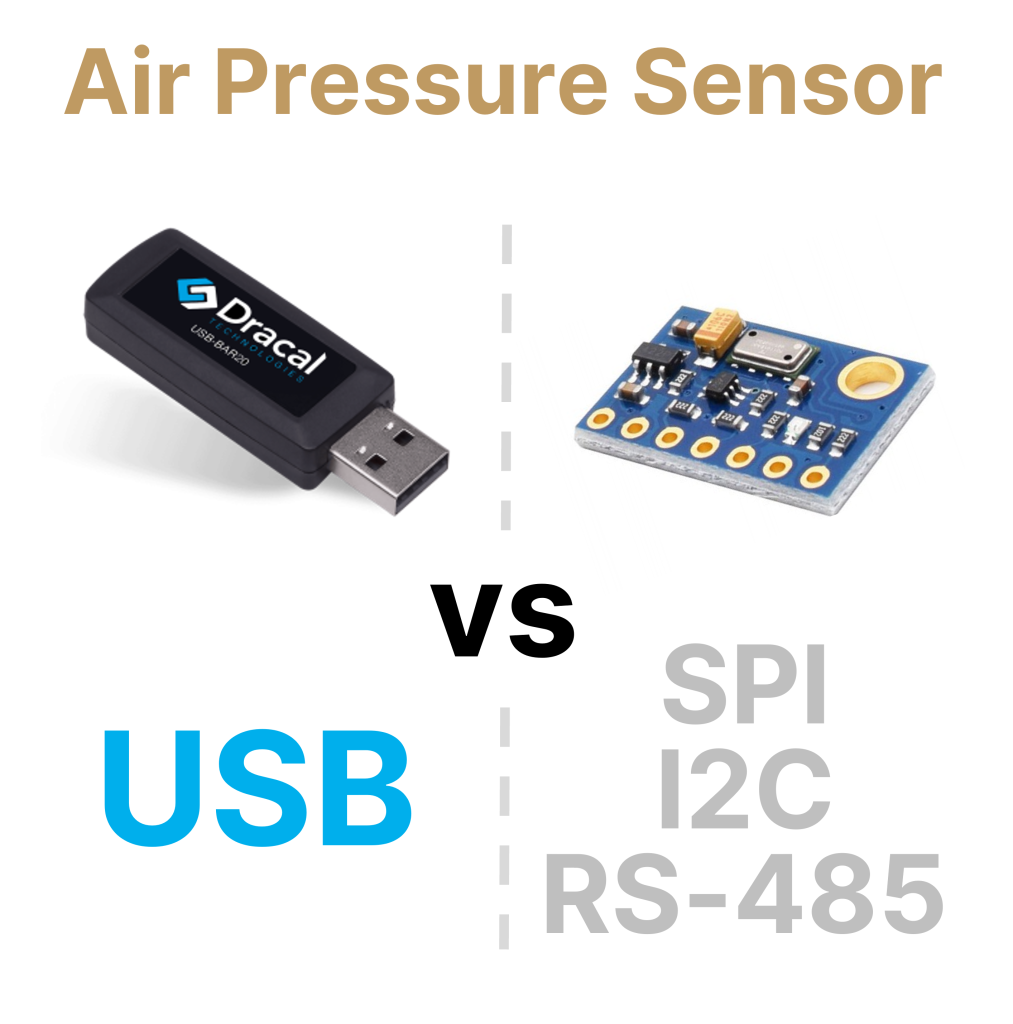
The serial-protocol approach: what it actually takes
Let’s be concrete. Suppose you need to continuously read atmospheric pressure on a PC for altitude compensation in a test bench, for ambient monitoring in a lab, or as a reference channel in a larger measurement system. If your reflex is to reach for a breakout board and a serial protocol, here is what the project looks like.
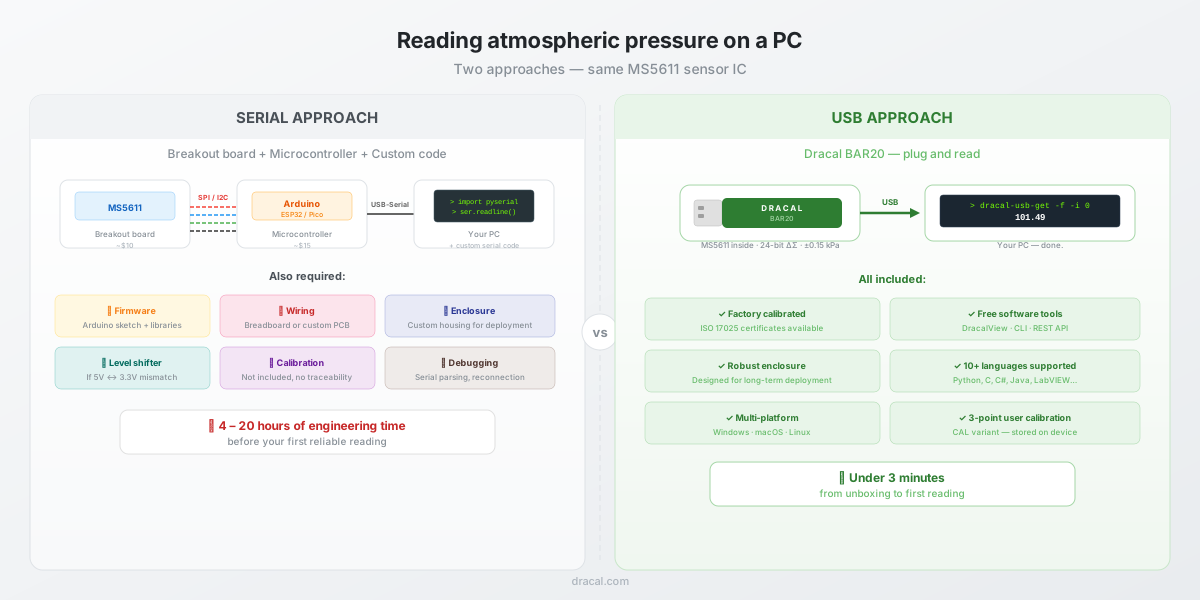
Hardware. You purchase an MS5611 or BMP390 breakout board (typically $5-$15). You then need a microcontroller to talk to it: an Arduino Nano, an ESP32, a Raspberry Pi Pico, or something equivalent ($5–$30). You need a breadboard or a custom PCB to wire the two together. The MS5611 communicates via SPI or I2C, so you connect SCL and SDA (or SCLK, MISO, and CS), along with power and ground. If your microcontroller runs at 5 V and the sensor at 3.3 V, you may need a level shifter. You then connect the microcontroller to your PC via USB-serial.
Firmware. You install the Arduino IDE, import an MS5611 library, write (or copy-paste) a sketch that initializes the sensor, reads the raw ADC values, applies the temperature compensation algorithm described in the MS5611 datasheet, and prints the result to the serial port. The MS5611’s compensation algorithm involves six factory-calibrated coefficients stored in PROM and a second-order correction for temperatures below 20°C. It is not trivial. Most engineers rely on a library to handle it, but they still need to verify that the library implements the full algorithm correctly, especially the low-temperature correction, which some libraries skip.
Enclosure. If this is not a bench prototype but a permanent installation, you need an enclosure. The sensor must be vented to ambient air but protected from dust, EMI, and mechanical stress. The USB cable needs strain relief. The microcontroller board, with its exposed pins and header connectors, was not designed for long-term deployment.
Calibration. Your breakout board ships with factory-programmed compensation coefficients, but it does not come with a traceable calibration certificate. If your application requires ISO 17025 traceability (and many do) you now have a separate problem to solve.
Software integration. Once the data arrives on the PC, you still need to parse the serial stream. You open a COM port, set the baud rate, read lines, split the string, convert to float. If the microcontroller resets, the serial port may drop and your logging script needs to handle reconnection. If you need the data in LabVIEW, you build a VISA-based serial read loop. If you need it in Python, you use pyserial. Each integration language requires its own serial-handling code.
By the time you add it all up (breakout board, microcontroller, wiring, firmware, enclosure, serial parsing, and testing) you have spent somewhere between 4 and 20 hours of engineering time for what amounts to a single number: atmospheric pressure in kPa.
Check out this article from IEEE Spectrum magazine for a preview of what awaits you if you choose this path: .
Why engineers default to this approach
This is not a criticism. There are good reasons why the serial-protocol path feels natural.
Engineers are trained on embedded systems. University courses and online tutorials all teach sensor integration through the lens of SPI, I2C, and UART. If you’ve spent years reading datasheets and wiring breakout boards to microcontrollers, that’s the mental model you carry into every new project. When you need a barometer, you search for a barometer sensor (the IC or the breakout board), not a barometer instrument (the finished product). The vocabulary itself channels you toward components rather than solutions.
There’s also a legitimate use case for the serial approach: when the sensor is part of a standalone embedded system that does not involve a PC. A drone altimeter, a battery-powered weather station, a remote sensor node, etc. : these all need SPI or I2C because there is no computer to plug into. The confusion arises when the pressure data is ultimately destined for a PC, and the microcontroller is being used as nothing more than a USB-to-sensor bridge. In that scenario, the microcontroller is not solving your problem. It is the problem.
The USB approach: what changes
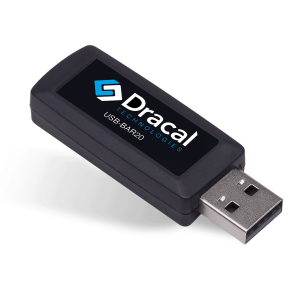
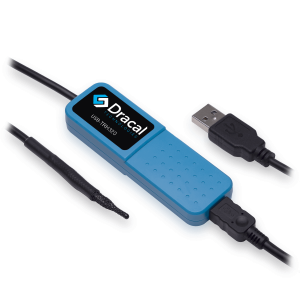
A USB barometer like the Dracal BAR20 eliminates the entire embedded layer. The sensor IC (in this case the same MS5611 used on most breakout boards) is integrated into a compact USB-key-sized enclosure with its own onboard electronics for temperature compensation, ADC conversion, and USB communication. You plug it in. The measurement is available.
Here is what the same “read atmospheric pressure on a PC” project looks like with a USB barometer.
Hardware. You plug the BAR20 into a USB port. That’s it. No breadboard, no wiring, no level shifter, no microcontroller. The device measures 62 × 20 × 10 mm and weighs a few grams. If you need the sensor to be slightly away from the PC (to avoid pressure artifacts from the PC’s cooling fans), you use a standard USB extension cable.
Firmware. There is none to write. The BAR20 handles the full MS5611 compensation algorithm internally, including the second-order low-temperature correction.
Software integration. This is where things get interesting. The BAR20 is accessible through a command-line tool (dracal-usb-get) that returns the measurement as a plain-text value. Reading the atmospheric pressure in a terminal is a single command:
dracal-usb-get -f -i 0
101.49
That’s it. One line. The value 101.49 is the atmospheric pressure in kPa. If you want the value in hPa, bar, atm, Torr, psi, or inHg, you add a unit flag (-P hPa, -P bar, etc.). If you want to log continuously to a CSV file, you add -L myfile.csv. If you want to pipe the output into a Python script, a LabVIEW VI, a C# application, or a shell script, you use standard I/O redirection. Code examples are available in over 10 programming languages.
For those who prefer a REST JSON API over the command line, Dracal provides a lightweight local service that exposes sensor data as HTTP endpoints. And for those who just want to see the data on screen, the free DracalView software provides graphing, logging, and unit conversion out of the box (setup takes less than three minutes).
Calibration. The BAR20 is factory calibrated with individually conditioned MS5611 sensor chips. For applications requiring formal traceability, ISO 17025 certificates are available. Additionally, the BAR20-CAL variant offers a built-in 3-point user calibration mechanism, allowing you to adjust the measurement over time to match a known reference. The calibration points are stored directly on the device, not on your PC.
A side-by-side comparison
| Aspect | Serial approach (breakout + MCU) | USB approach (BAR20) |
|---|---|---|
| Sensor IC | MS5611 (or BMP390, LPS22HB, etc.) | MS5611 |
| Accuracy | Depends on implementation | ±0.15 kPa at 25°C (±1.5 mbar) |
| ADC resolution | Depends on MCU | 24-bit ΔΣ |
| Hardware setup | Breakout + MCU + wiring + enclosure | Plug into USB |
| Firmware | Write or adapt a sketch | None |
| Time to first reading | Hours to days | Minutes |
| Serial port parsing | Yes (custom code) | No (CLI or REST API handles it) |
| Traceability | Not included | ISO 17025 certificates available |
| User calibration | Not available | 3-point mechanism (CAL variant) |
| Long-term deployment | Fragile (exposed headers, wiring) | Enclosed, robust design |
| Multi-platform | Depends on your serial code | Windows, macOS, Linux |
| Price | ~$20–50 in parts + engineering time | Starting at $158 |
The price difference deserves a comment. Yes, $158 is more than $15 for a breakout board. But the breakout board does not include a microcontroller, an enclosure, firmware development time, serial parsing code, or calibration. If you value your engineering time at all, the USB barometer is almost certainly cheaper.
What about USB dataloggers?
A reasonable question. If you’ve searched for “USB barometer” before, you may have mostly found USB dataloggers, i.e. devices that record data to internal memory and require you to physically retrieve the device to download the data. The BAR20 is not a datalogger. It provides a real-time, continuous data stream over USB that you can read, log, pipe, and integrate as you see fit. You are not locked into a proprietary software ecosystem and you are not waiting for a batch download. The data is live.
When the serial approach still makes sense
This article is not claiming that SPI, I2C, and RS-485 are obsolete. They remain the right choice for:
- Standalone embedded systems with no PC involved, although here again Dracal offers a solution for OEM integration
- Multi-sensor arrays on a shared bus, where dozens of sensors are daisy-chained on a single I2C or RS-485 line
- Real-time control loops running on a microcontroller, where the latency of a USB round-trip would be problematic
- Electrically harsh environments where RS-485’s differential signaling provides noise immunity over long cable runs
If your pressure sensor feeds directly into a microcontroller that makes decisions in real time without involving a PC, by all means, use SPI or I2C. But if the measurement ultimately needs to land on a computer —for logging, visualization, analysis, or integration into a larger software system — inserting a microcontroller as a bridge between the sensor and the PC is adding complexity that the USB approach eliminates entirely.
If you also need temperature and humidity
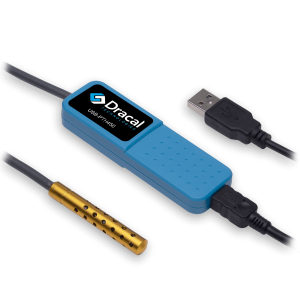
The BAR20 measures atmospheric pressure only. If your project also requires temperature and relative humidity as is common in laboratory environmental monitoring, cleanroom qualification, or storage condition tracking, the Dracal PTH450 combines all three parameters in the same USB form factor, with the same CLI, the same API, and the same free software. Everything discussed in this article about simplicity and integration applies identically to the PTH450.
About Dracal's BAR20 and other sensors
The Dracal BAR20 is a plug-and-play USB barometer that serves as a simple alternative to building a custom atmospheric pressure sensor with a microcontroller and a serial breakout board. It is compatible with Windows, macOS, and Linux, and integrates into any software environment through its CLI, virtual COM port, or REST JSON API.
Case Studies

Always offered at no extra charge with our products!
EASY TO USE IN YOUR OWN SYSTEM
- Ready-to-use, accurate and robust real-time data flow
- Choose the interface that works best for you (CLI, virtual COM, REST API)
- Code samples available in 10+ programming languages (Python, C/C++, C#, Java, Node, .Net, etc.)
- Operates under Windows, Mac OS X and Linux
- Usable with LabView (CLI guide, Virtual COM guide)
- All tools packaged within one simple, free of charge, DracalView download
FREE DATA VISUALIZATION, LOGGING AND CALIBRATION SOFTWARE
- Get up-and-running in less than 3 minutes
- Operates under Windows, Mac OS X and Linux
- Real-time on-screen graphing and logging
- Log interval down to 0.5 second and configurable units (°C, °F, K…)
- Simultaneous use of unlimited Dracal sensors supported
- Simple user-calibration (products with the -CAL option)
- Connectivity with SensGate Wi-Fi/Ethernet gateway

PRODUCTS YOU CAN TRUST
Approved by engineers, scientists and researchers around the world.
Thousands of companies trust our products worldwide:












Not sure if your project will benefit from Dracal’s solution?
Contact us, tell us about your project, and we’ll quickly determine if there’s a fit.
"*" indicates required fields