SensorPush alternative for test benches: traceable temperature and humidity logging on your own PC
You have just been through an audit, and the finding is clear: your test system must now record temperature and relative humidity, and the clock is running. Someone you trust, perhaps your calibration lab, suggested SensorPush. It is a sensible suggestion in many situations.
When an audit gives you weeks, not months, to start recording temperature and humidity at your test station, you need sensors that work the day they arrive.
This article helps you check whether it fits a test bench, and what to choose if it does not.
What SensorPush does well
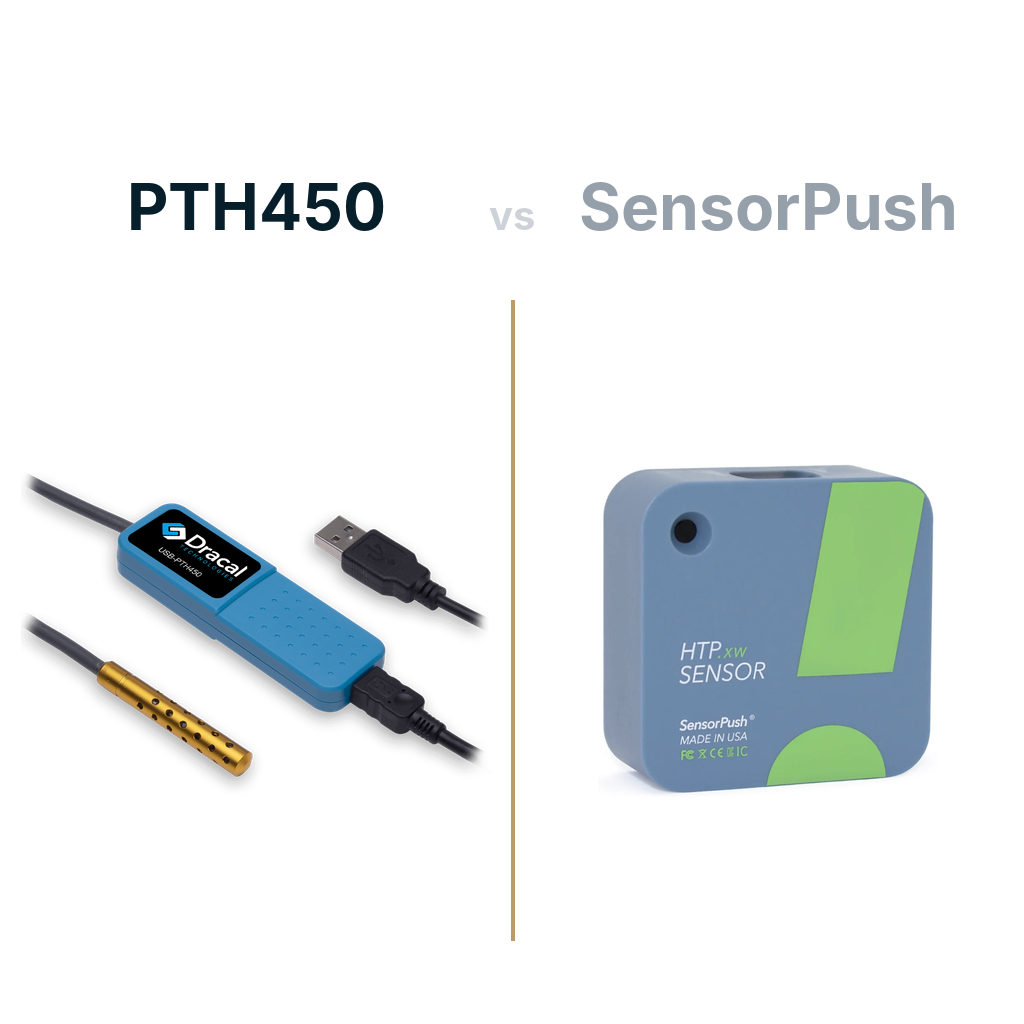
SensorPush earned its reputation honestly. The sensors are small, accurate, battery powered and quick to set up. You place one in a room, a refrigerator or a storage cabinet, open the app on your phone, and readings appear within minutes. For monitoring spaces where no computer is nearby, few products are easier to live with.
Where SensorPush falls short
The design starts from the phone. The sensor sends its readings over Bluetooth to a mobile app. To see those readings on a computer, you add a separate Wi-Fi gateway. The gateway forwards them to the SensorPush cloud, and you consult them through a web dashboard. The data travels from the sensor to the internet and back to you. SensorPush offers no Windows software that records the readings directly on your PC.

Why that gap matters on a test bench
On a test bench, the test PC is the center of everything. It runs your procedures, stores your results and is the first place an auditor looks. When environmental readings live somewhere else, three problems appear.
The first is that your records are split. Test results sit on your PC, while temperature and humidity sit in a cloud account. Matching them for an audit means exporting, downloading and aligning timestamps by hand.
Your schedule also depends on more parts. A sensor that needs a gateway, a Wi-Fi network and a cloud account means more items to order, more devices for IT to approve and more ways for one missing piece to stall the project. When your deadline is measured in weeks, a back-ordered accessory can cost you half of it.
Finally, your test software cannot read the conditions directly. If each test report should include the temperature and humidity at the moment of the test, your software needs the reading locally, in real time. A remote server that limits how often you can query it does not give you that.
Why a Dracal sensor on your test PC is the shorter path
Connecting the sensor to the PC that runs your tests solves the location problem: your environmental records land next to your test results, on a disk you control, and nothing leaves your network. But location is only half of what an auditor checks. The other half is whether you can trust and defend every reading, and that depends on the instrument, not on the cable.
Plenty of inexpensive USB thermometers will put a number on your screen. Few will tell you how accurate that number is across your operating range, how much it drifts each year, or how to bring it back into tolerance. Dracal instruments are built to answer those questions. Each one carries a unique serial number, so every record traces back to a specific device and its calibration history. Accuracy, repeatability and long-term drift are specified on the datasheet, so your metrology team can reference them directly in its procedures. Every instrument is assembled and tested in our facility in Canada, and the calibration path is part of the product, from the -CAL option to certificates traceable to national standards.
You own the records, you choose where they are stored, and you decide which lab calibrates your instruments.
| SensorPush | Dracal | |
|---|---|---|
| Where readings are recorded | Sensor memory, phone app, cloud | Your test PC |
| What you order to log on a computer | Sensor and gateway | Sensor |
| Internet needed to log on a PC | Yes | No |
| Access from your test software | Cloud API | Local API, command line, serial port or MQTT |
| Power | Battery | USB |
Sensor for your test bench
How Dracal gets you logging the day the sensor arrives
For most test benches, the instrument to start with is the PTH450. Its aluminum probe measures temperature to ±0.1 °C between 20 and 60 °C, and relative humidity to ±1.5 %RH between 0 and 55 %RH at 25 °C (typical values). The probe withstands up to 125 °C, so the same instrument works on an open bench or inside a climatic chamber. It also reports atmospheric pressure, should your procedures call for it. Every detail is in the datasheet.
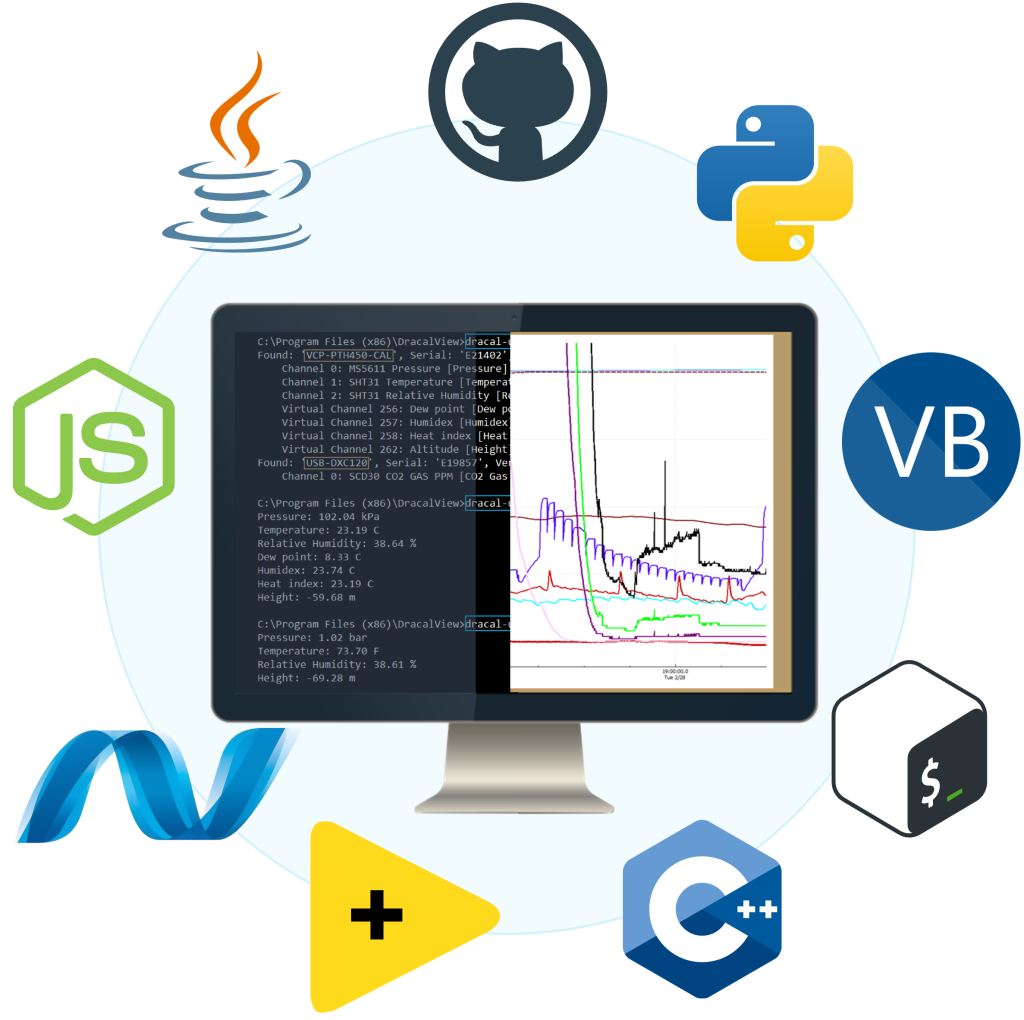
DracalView, our free software, which works on all platforms, displays and records readings from as many Dracal sensors as you connect. You choose the log file format and the interval, down to half a second. Most users are recording in less than three minutes after unpacking the sensor.
When you want the readings inside your own test software, choose the interface that suits it:
- The Dracal REST JSON API runs on the PC itself, with no cloud involved. It gives your program detailed access to every USB-connected instrument through standard HTTP requests.
- The dracal-usb-get command-line tool returns a reading in a single call from any script.
- The VCP option makes the sensor appear as a standard serial port, readable without any Dracal software. That suits LabVIEW and test systems built to last for years.
- The MQTT Publisher pushes readings continuously to any platform that subscribes.
Code examples cover Python, C, C#, Java, Node.js and LabVIEW, among others.
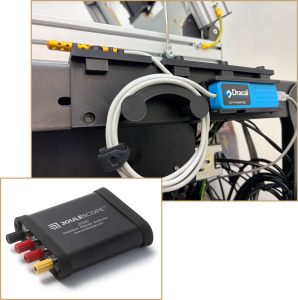
Traceability is where the -CAL option matters. A -CAL instrument carries a three-point user calibration mechanism. Your usual calibration laboratory compares the sensor with its reference. If the sensor is out of tolerance, the correction is applied in DracalView in a few clicks, and every reading after that reflects it. If you prefer, the ISO/IEC 17025-accredited laboratory we work with can calibrate the instrument and issue a traceable certificate before it ships. To see this in practice, read how Joulescope keeps traceable environmental records on its calibration line.
If the PC is not next to the bench, the SensGate Wi-Fi/Ethernet gateway relays readings over your own network and stores them on site. It is an on-premises device, so your data never leaves your facility. Your software keeps the same direct access: the dracal-sensgate-get command-line tool and the RVCP REST API read the connected sensors over your local network.
Small and medium orders ship within three business days, and every instrument carries a three-year warranty.
The right tool for the job in front of you
SensorPush remains a good choice when you need battery-powered sensors spread across rooms with no computer nearby, and alerts on your phone. That is the job it was designed for. Your job is different. You need complete records on the PC where your tests run, ready the moment an auditor asks, and calibrated by the lab you already trust.
A Dracal sensor gives you that with a single order and a USB port. Your readings are recorded on your own disk, your test software reads them directly, and your traceability chain stays in your hands. If an audit has just put a date on your calendar, tell us about your test setup. We will confirm which instrument fits and when it can be on your bench.
References and sources
- HTP.xw smart sensor, SensorPush.
- G1 WiFi Gateway, SensorPush.
- Gateway Cloud API, SensorPush.
- Apps for iOS and Android, SensorPush.
- PTH450 datasheet, Dracal Technologies.
Related articles


Not sure if your project will benefit from Dracal’s solution?
Contact us, tell us about your project, and we’ll quickly determine if there’s a fit.
"*" indicates required fields
Always offered at no extra charge with our products!
EASY TO USE IN YOUR OWN SYSTEM
- Ready-to-use, accurate and robust real-time data flow
- Choose the interface that works best for you (CLI, virtual COM, REST API, MQTT Publisher)
- Code samples available in 10+ programming languages (Python, C/C++, C#, Java, Node, .NET, etc.)
- Operates under Windows, Mac OS X and Linux
- Usable with LabVIEW (CLI guide, Virtual COM guide)
- All tools packaged within one simple, free of charge, DracalView download
FREE DATA VISUALIZATION, LOGGING AND CALIBRATION SOFTWARE
- Get up-and-running in less than 3 minutes
- Operates under Windows, macOS X and Linux
- Real-time on-screen graphing and logging
- Log interval down to 0.5 second and configurable units (°C, °F, K…)
- Simultaneous use of unlimited Dracal sensors supported
- Simple user-calibration (products with the -CAL option)
- Connectivity with SensGate Wi-Fi/Ethernet gateway
PRODUCTS YOU CAN TRUST
Approved by engineers, scientists and researchers around the world.
Thousands of companies trust our products worldwide: