Which integration tool do I need?
That’s it: you’ve identified the Dracal sensors that could be suitable for your project. All that remains is to determine how you will use the data they produce. If instant visualization and recording in 5 clicks is enough for you, there’s no need to go any further: DracalView is what you need. However, if you want to integrate the data into your existing systems, there are several methods available to you. As one of these methods affects the product model you will purchase (the VCP option), it is best to evaluate the various possibilities immediately in order to make an informed decision.
The purpose of this article is to help you quickly determine which of these methods will best suit your needs so that you can move forward with your sensor search project with confidence.
Note: To complement this article, under the theme of moving forward with confidence, check out our 5-step guide to ordering without forgetting anything.
What do we mean by integration?
By integration, we mean the real-time retrieval of data produced by sensors to feed another system. This system can be in-house software, proprietary industrial software that accepts external data streams such as LabVIEW or Matlab, a database, an application, etc.
Available tools: local installation
Local installation contrasts with installation using SensGate, which allows access to sensor data via Wi-Fi or Ethernet (see below for this type of installation). In this installation, your Dracal sensors are connected by USB directly or via a hub to a central computer (or product in case of OEM integration) that accesses the data. In this context, there are four integration methods available to you: using command line interface (CLI), the REST JSON API, the MQTT publisher or COM communication for sensors equipped with the VCP (Virtual COM Port) option.
Below is a diagram showing the path taken by the data for the four integration options:
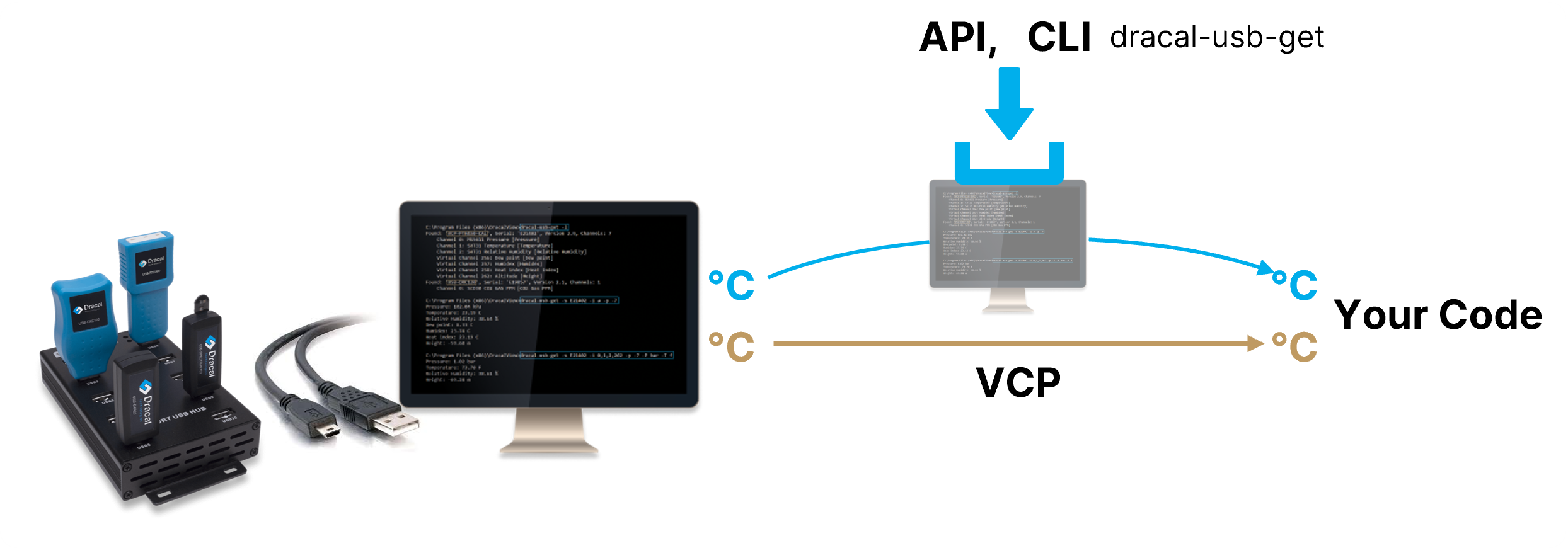
Here is a comparison table of the these integration methods:
Available tools: Network installation
Integration tools also exist if your project requires network deployment, made possible by the SensGate. There are 2 tools of the same nature as the CLI and VCP presented above.
Here is the integration path for each of the 2 tools:
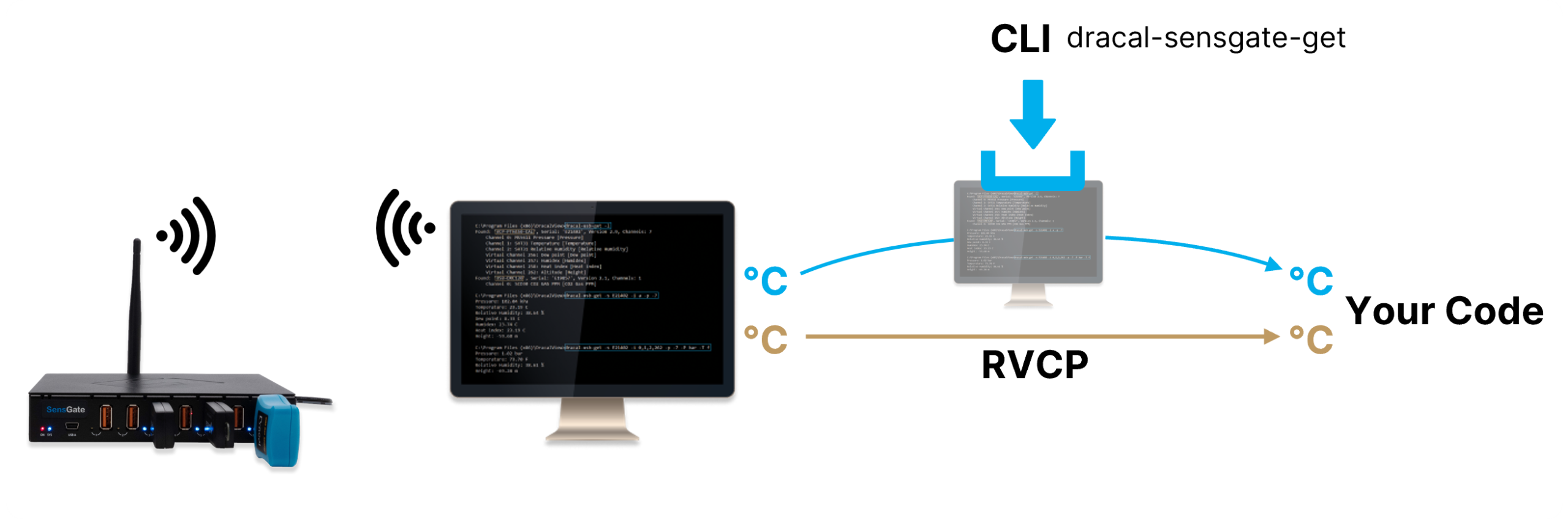
And below, the comparison table:
Next Step
Have you determined the integration method you will use? If so, good news, all you need to do is get the sensors you need and start integrating immediately. Don’t hesitate to consult our 5-steps guide to place an order without forgetting anything to gain even more confidence in your selection.
Are you still unsure about the best choice for your application? If so, you can always contact us to get expert advice (real experts, not AI agents) in less than 24 hours.
A little tip before finishing: Ultimately, the biggest “risk” you run in making a mistake would be not choosing the VCP option with your product when in the end, it would have been the best integration solution for you. If your budget allows, cover your bases and get this option from the start. That way, all avenues will remain possible!
Always offered at no extra charge with our products!
EASY TO USE IN YOUR OWN SYSTEM
- Ready-to-use, accurate and robust real-time data flow
- Choose the interface that works best for you (CLI, virtual COM, REST API, MQTT Publisher)
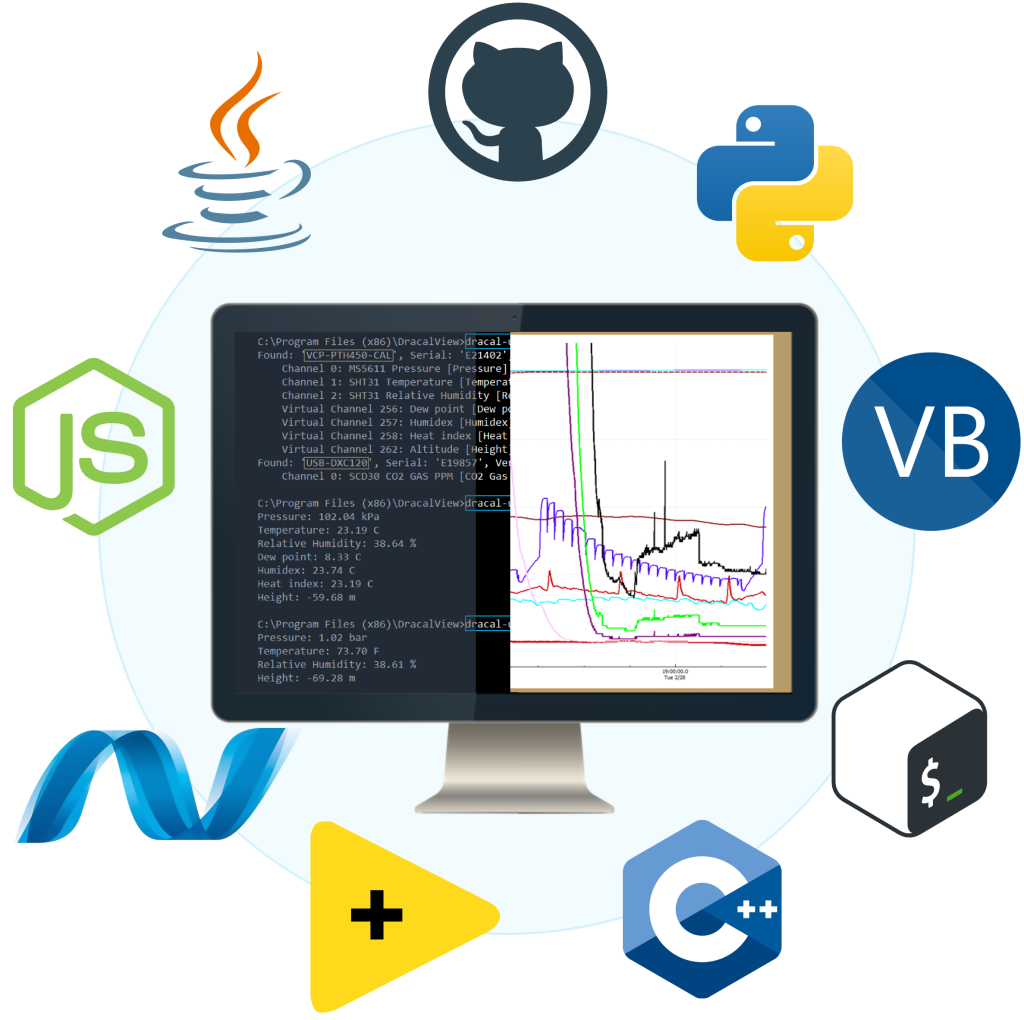
- Code samples available in 10+ programming languages (Python, C/C++, C#, Java, Node, .NET, etc.)
- Operates under Windows, Mac OS X and Linux
- Usable with LabVIEW (CLI guide, Virtual COM guide)
- All tools packaged within one simple, free of charge, DracalView download
FREE DATA VISUALIZATION, LOGGING AND CALIBRATION SOFTWARE
- Get up-and-running in less than 3 minutes
- Operates under Windows, macOS X and Linux
- Real-time on-screen graphing and logging
- Log interval down to 0.5 second and configurable units (°C, °F, K…)
- Simultaneous use of unlimited Dracal sensors supported
- Simple user-calibration (products with the -CAL option)
- Connectivity with SensGate Wi-Fi/Ethernet gateway
PRODUCTS YOU CAN TRUST
Approved by engineers, scientists and researchers around the world.
Thousands of companies trust our products worldwide:











Not sure if your project will benefit from Dracal’s solution?
Contact us, tell us about your project, and we’ll quickly determine if there’s a fit.
"*" indicates required fields