How to read atmospheric pressure on a PC: the simplest setup for engineers
You have a project that requires atmospheric pressure data on a computer. Maybe it’s altitude compensation in a test system, ambient monitoring in a lab, a reference channel for gas analysis, or pressure logging for a cleanroom. Whatever the application, the underlying need is the same: get a reliable, continuous pressure reading into your software.
This seems like it should be simple. And it can be. But only if you pick the right path from the start. Because the landscape of available options ranges from trivially easy to surprisingly painful, and the difference between them is not always obvious from a product listing.
This article walks through the main approaches, in order of decreasing complexity, so you can pick the one that fits.
Comparing the four options
| Weather station | Industrial transmitter | MCU + breakout | USB barometer | |
|---|---|---|---|---|
| Hardware cost | $100–300 | $500–3,000+ | $20–50 | ~$148 |
| Time to first reading | 30 min+ (cloud setup) | Hours (wiring + DAQ) | 4–20 hours | < 3 minutes |
| Pressure accuracy | ±1–2 hPa | ±0.1–1.5 hPa | Depends on implementation | ±1.5 hPa (±0.15 kPa) |
| Calibration traceability | No | Yes | No | ISO 17025 available |
| User-adjustable calibration | No | Varies | No | 3-point (CAL variant) |
| Direct PC integration | Cloud API only | Via DAQ SDK | Custom serial code | CLI, REST API, VCP |
| Works offline | No (needs internet) | Yes | Yes | Yes |
| Long-term deployment | Moderate | Excellent | Fragile | Robust |
Option 1: A weather station with an API
Consumer weather stations (Netatmo, Davis Instruments, Ambient Weather, etc.) measure atmospheric pressure among other parameters. Some expose the data through a cloud API or a local network interface, which means you can technically pull barometric pressure into your software.
The appeal is obvious: the hardware is readily available, often already installed, and the API is usually documented.
The problems start when you look at the details. Consumer weather stations are designed for meteorological observation, not for engineering measurement. Their pressure accuracy is typically ±1 to ±2 hPa (±0.1 to ±0.2 kPa), which may or may not be sufficient depending on your application. More importantly, the data path introduces latency and dependencies: your reading transits through the station’s internal firmware, then through Wi-Fi or RF to a base station, then often through a cloud server, and finally back to your PC via an HTTP call. If your internet connection drops or the cloud service goes down, so does your measurement. There is no traceable calibration, no way to adjust accuracy over time, and no direct integration path into a CLI, a script, or a LabVIEW VI without writing a custom API client.
For engineering work, a weather station is a workaround, not a solution.
Option 2: An industrial transmitter with a DAQ system
At the other end of the spectrum, you can purchase a barometric pressure transmitter, i.e. a wall-mounted or DIN-rail device with a 4–20 mA or 0–10 V analog output, and feed it into a data acquisition (DAQ) system connected to your PC.
This approach is robust and proven. Industrial transmitters from manufacturers like Vaisala, Setra, or Druck are designed for permanent installations, offer excellent long-term stability, and come with traceable calibration. The 4–20 mA current loop is immune to cable-length-related signal degradation, which is why it remains the standard in process control.
The downside is cost and complexity. The transmitter itself typically runs $300 to $2,000+ depending on accuracy and certifications. You then need a DAQ module (USB, Ethernet, or PCI-based) capable of reading analog inputs, which adds another $200 to $1,000+. The DAQ module comes with its own driver, its own SDK, and its own software ecosystem. You wire the transmitter to the DAQ input, configure the scaling (4 mA = 800 hPa, 20 mA = 1100 hPa, or whatever the transmitter’s range is), and write code to convert the milliamp reading back into a pressure value. In total, you’re looking at $500 to $3,000 in hardware and several hours of integration work.
This is the right approach for a permanent installation in a process-control environment: a factory floor, a pharmaceutical production line, a building automation system. But for a lab bench, a test setup, or any application where the data just needs to get to a PC, it’s massive overkill.
Option 3: A microcontroller and a breakout board
This is the path most engineers think of first: buy an MS5611 or BMP390 breakout board, wire it to an Arduino or ESP32 via SPI or I2C, write firmware to read the sensor and forward the data over USB-serial, then parse the serial stream on the PC side.
We covered this approach in detail in a previous article. The summary: it works, but it requires hardware assembly, firmware development, serial parsing code, and a custom enclosure if the setup is more than a bench prototype. Expect 4 to 20 hours of engineering time before you have a reliable, integrated reading. There is no traceable calibration. And if you’ve ever considered building the whole thing into a USB stick yourself, the total cost of ownership, including your time, quickly exceeds the price of a finished product.
This approach makes perfect sense when the microcontroller is doing other things besides reading pressure (running a control loop, managing multiple sensors, operating a display). It makes much less sense when the microcontroller’s sole purpose is to act as a USB-to-sensor bridge.
Option 4: A USB barometer
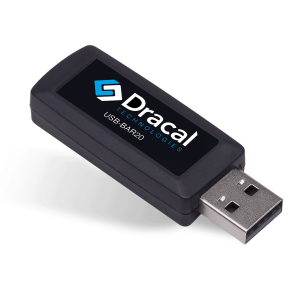
This is the simplest path. A USB barometer plugs into your computer and delivers calibrated pressure data directly, with no intermediate hardware, no firmware to write, and no serial protocol to parse.
The Dracal BAR20 is an example of this approach. It uses the same MS5611 sensor IC found on popular breakout boards, with a 24-bit ΔΣ ADC and an accuracy of ±0.15 kPa at 25°C (±1.5 mbar). The difference is that the sensor, the compensation algorithm, the ADC, and the USB communication are all integrated into a single device the size of a USB key. You plug it in; the measurement is available.
Here is what reading atmospheric pressure looks like in practice.
From the command line
The BAR20 ships with a free command-line tool called dracal-usb-get. Reading the current atmospheric pressure is a single command:
dracal-usb-get -f -i 0
101.49
The value is in kPa by default. Change units with a flag:
dracal-usb-get -f -i 0 -P hPa
1014.90
dracal-usb-get -f -i 0 -P inHg
29.97
Log to a CSV file at one-second intervals:
dracal-usb-get -f -i a -L pressure_log.csv
Stop with Ctrl+C. That’s your data acquisition system: one command.
From Python
Because dracal-usb-get writes to standard output, calling it from Python (or any language) requires no SDK and no driver. A minimal example:
import subprocess

result = subprocess.run(
    ["dracal-usb-get", "-f", "-i", "0"],
    capture_output=True, text=True
)
pressure_kpa = float(result.stdout.strip())
print(f"Atmospheric pressure: {pressure_kpa} kPa")
That’s it. No pyserial, no COM port configuration, no baud rate, no line parsing. The tool handles all of it internally.
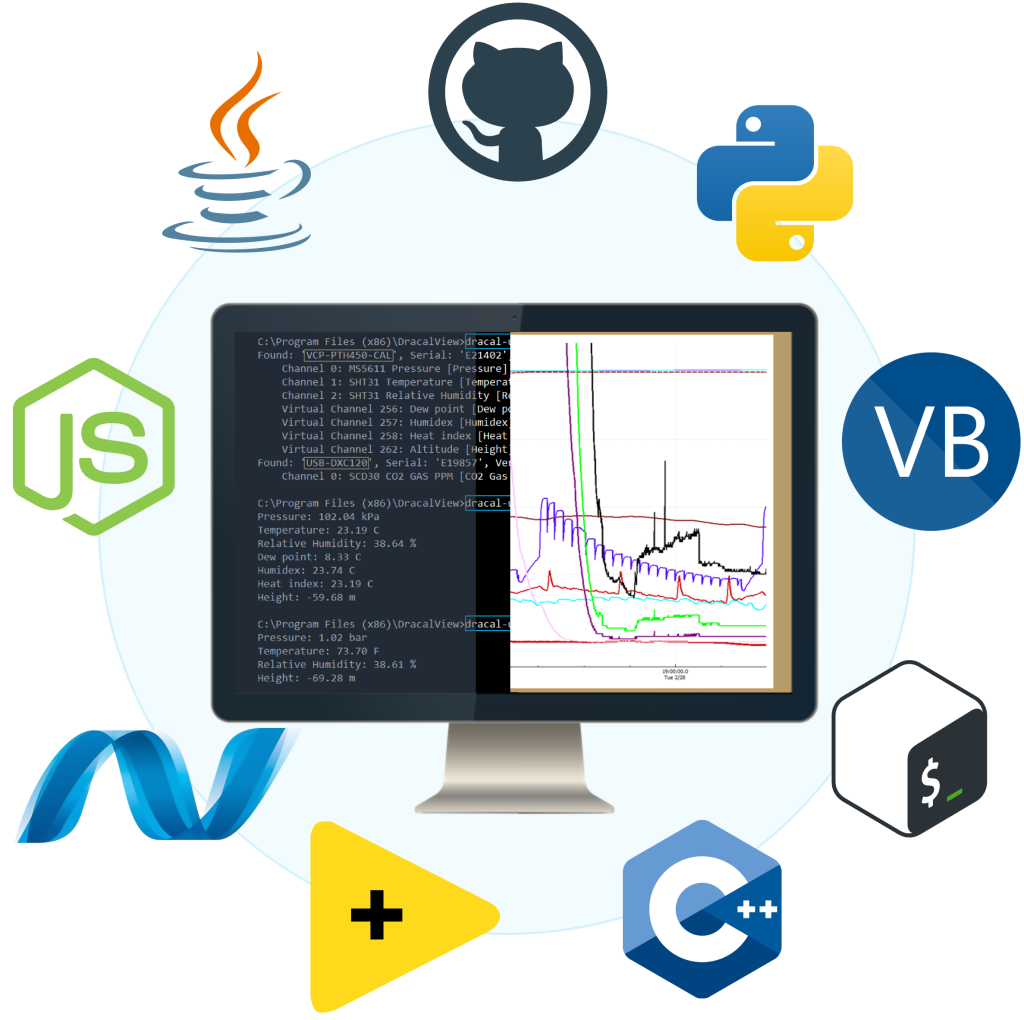
For more structured integrations, Dracal also provides a REST JSON API (a lightweight local service that exposes all connected sensors as HTTP endpoints) and a virtual COM port mode for environments that expect serial communication. Code samples are available in Python, C, C++, C#, Java, Node.js, .NET, and more.
From DracalView (no code at all)
If you don’t need programmatic access and just want to see the pressure on screen, the free DracalView software provides real-time graphing, logging, and unit conversion. Plug in the sensor, launch the software, and data appears. Setup takes less than three minutes. It runs on Windows, macOS, and Linux.
And if I also need temperature and humidity?
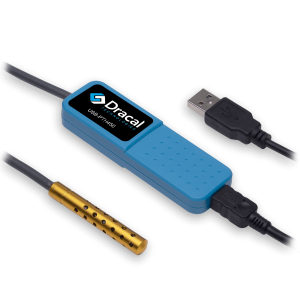
The BAR20 measures atmospheric pressure only. For projects that also require temperature and relative humidity like laboratory environmental monitoring, storage condition tracking or cleanroom qualification, the Dracal PTH450 combines all three parameters in the same USB format, with the same CLI, the same API, and the same free software. Everything described in this article applies identically.
Conclusion: When to use what?
Weather station: You already have one installed and you need a rough barometric reference for non-critical applications. Accuracy and uptime are not priorities.
Industrial transmitter + DAQ: You are building a permanent process-control installation with long cable runs, existing 4–20 mA infrastructure, and a PLC or SCADA system. The investment in hardware and integration is justified by the application’s scale.
Microcontroller + breakout board: The pressure sensor is one component among many in an embedded system that operates independently from a PC, although a USB solution can still be the best solution for industrial OEM integration. The microcontroller is running a control loop, managing a display, or performing edge computation.
USB barometer: The pressure data needs to reach a computer for logging, analysis, visualization, or integration into software, and there is no reason to introduce an intermediate embedded layer. This is the simplest, fastest, and most cost-effective path for PC-based measurement.
Always offered at no extra charge with our products!
EASY TO USE IN YOUR OWN SYSTEM
- Ready-to-use, accurate and robust real-time data flow
- Choose the interface that works best for you (CLI, virtual COM, REST API)
- Code samples available in 10+ programming languages (Python, C/C++, C#, Java, Node, .Net, etc.)
- Operates under Windows, Mac OS X and Linux
- Usable with LabView (CLI guide, Virtual COM guide)
- All tools packaged within one simple, free of charge, DracalView download
FREE DATA VISUALIZATION, LOGGING AND CALIBRATION SOFTWARE
- Get up-and-running in less than 3 minutes
- Operates under Windows, Mac OS X and Linux
- Real-time on-screen graphing and logging
- Log interval down to 0.5 second and configurable units (°C, °F, K…)
- Simultaneous use of unlimited Dracal sensors supported
- Simple user-calibration (products with the -CAL option)
- Connectivity with SensGate Wi-Fi/Ethernet gateway
PRODUCTS YOU CAN TRUST
Approved by engineers, scientists and researchers around the world.
Thousands of companies trust our products worldwide:












Not sure if your project will benefit from Dracal’s solution?
Contact us, tell us about your project, and we’ll quickly determine if there’s a fit.
"*" indicates required fields