Measuring relative humidity: 15 Do’s and Don’ts
Dracal Technologies’ relative humidity sensors are precision sensors that are sensitive to their environment. Optimal installation and proper use in accordance with the intended conditions of use will allow you to get the most out of them.
If you do not yet have a Dracal sensor, this article will help you determine whether your installation is adequate.
If you already have a Dracal sensor, this article will help you determine what could be causing suboptimal performance.

Principle n°1 Make sure your sensor measures exactly what you want to measure
The characteristics of the air in a space are generally not uniform. Take temperature, for example. Air near cold surfaces (walls, windows, metal surfaces, etc.) is not the same temperature as freely flowing air. Similarly, the relative humidity measured at certain locations in a space can differ greatly depending on where the measurement is taken, in part because the temperature has an influence on it.
1. Ensure that the airflow around your sensor is appropriate for your application.
2. Stay away from surfaces (walls, windows, cold surfaces, etc.) unless that is the purpose of your application.
3. After positioning your device, wait for a few minutes (ideally 30 minutes) before starting to measure, to prevent its own presence from affecting the air it measures.
4. Avoid sources of radiant heat (e.g. intense light, a motor that gets hot,…)
5. Make sure that the sensor is in the open air. Avoid sensors positioned in a closed housing.
Principle n°2 Keep an eye on the dew point
It is important to keep an eye on the dew point because it is the “gatekeeper” of condensation. If you have a Dracal device that measures temperature and relative humidity, you automatically have access to a virtual channel that calculates the dew point for you: take advantage of this critical information.
6. Prevent condensation from forming on your sensor, by making sure the air you are measuring is above the dew point.
7. Position your sensor so that it faces downward, especially in a high relative humidity environment. This way, in the event of condensation, droplets formed on the sensor will not remain on the sensor or wire, allowing you to dry it out and perhaps restore its function.
Did you know? All Dracal sensors equipped with relative humidity channels have a dew point channel.
Principle n°3 Your sensors are designed to measure air that is similar in composition to fresh air
Air is primarily composed of gases, but may also contain small particles called aerosols. Some of these aerosols can directly attack the materials that make up your sensor itself and permanently damage it.
8. Avoid vapors containing corrosive agents, such as salt water vapors, which can cause permanent rupture.
9. Avoid vapors containing very basic or very acidic agents, as they affect the conductivity of the water and can cause short circuits in the sensor electronics.
10. Avoid any form of volatile organic compounds (VOCs), as they adhere to the sensor chip and prevent it from accurately measuring the humidity level in the air.
In general: If you have not already done so, protect your unit from dust and other contaminants.
Principle n°4 Remember that you are dealing with a sensitive electronic device
The accuracy of the measurements returned by your device is the result of the electronics being sensitive to its environment. The more your device is treated as a “sensitive” (not necessarily fragile) entity, the better the quality of the measured data.
11. When positioning your device, give it time (30 minutes, ideally) to stabilize before starting to perform measurements. This recommendation is crucial when calibrating the unit.
12. Place your unit and any attached wires in a vibration-free location. Mechanical stress on your unit’s electronics could introduce noise into your readings.
13. Place your unit away from extreme magnetic fields.
14. Always use your unit within the recommended operating ranges.
15. Do not ignore the effect of the environment on the physiology of your unit (called hysteresis). For example, using a device at very high temperatures can affect its future accuracy in a lower temperature environment.
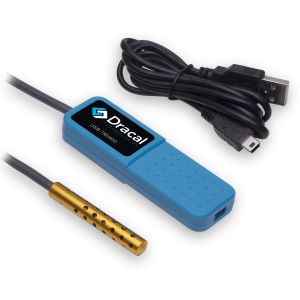
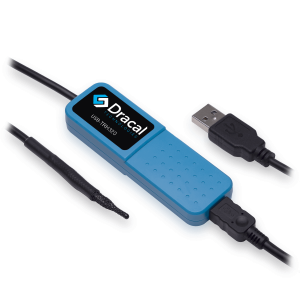
Dracal relative humidity sensors - With dew point channel
PRODUCTS YOU CAN TRUST
Approved by engineers, scientists and researchers around the world.
Thousands of companies trust our products worldwide:












Always offered at no extra charge with our products!
EASY TO USE IN YOUR OWN SYSTEM
- Ready-to-use, accurate and robust real-time data flow
- Choose the interface that works best for you (CLI, virtual COM, REST API)
- Code samples available in 10+ programming languages (Python, C/C++, C#, Java, Node, .Net, etc.)
- Operates under Windows, Mac OS X and Linux
- Usable with LabView (CLI guide, Virtual COM guide)
- All tools packaged within one simple, free of charge, DracalView download
FREE DATA VISUALIZATION, LOGGING AND CALIBRATION SOFTWARE
- Get up-and-running in less than 3 minutes
- Operates under Windows, Mac OS X and Linux
- Real-time on-screen graphing and logging
- Log interval down to 0.5 second and configurable units (°C, °F, K…)
- Simultaneous use of unlimited Dracal sensors supported
- Simple user-calibration (products with the -CAL option)
- Connectivity with SensGate Wi-Fi/Ethernet gateway

Not sure if your project will benefit from Dracal’s solution?
Contact us, tell us about your project, and we’ll quickly determine if there’s a fit.
"*" indicates required fields